
What this setting does
Sets the starting position of the booking-sheet toggle (“Fee includes super”) for new bookings at a specific venue. You can still override it on any individual booking.
- ON → Inclusive (performance fee entered contains super)
- OFF → Plus super (performance fee is bank amount; super is added on top.
Where to set it
Manage → My Venues → (⋯) → Set Super Default for Bookings
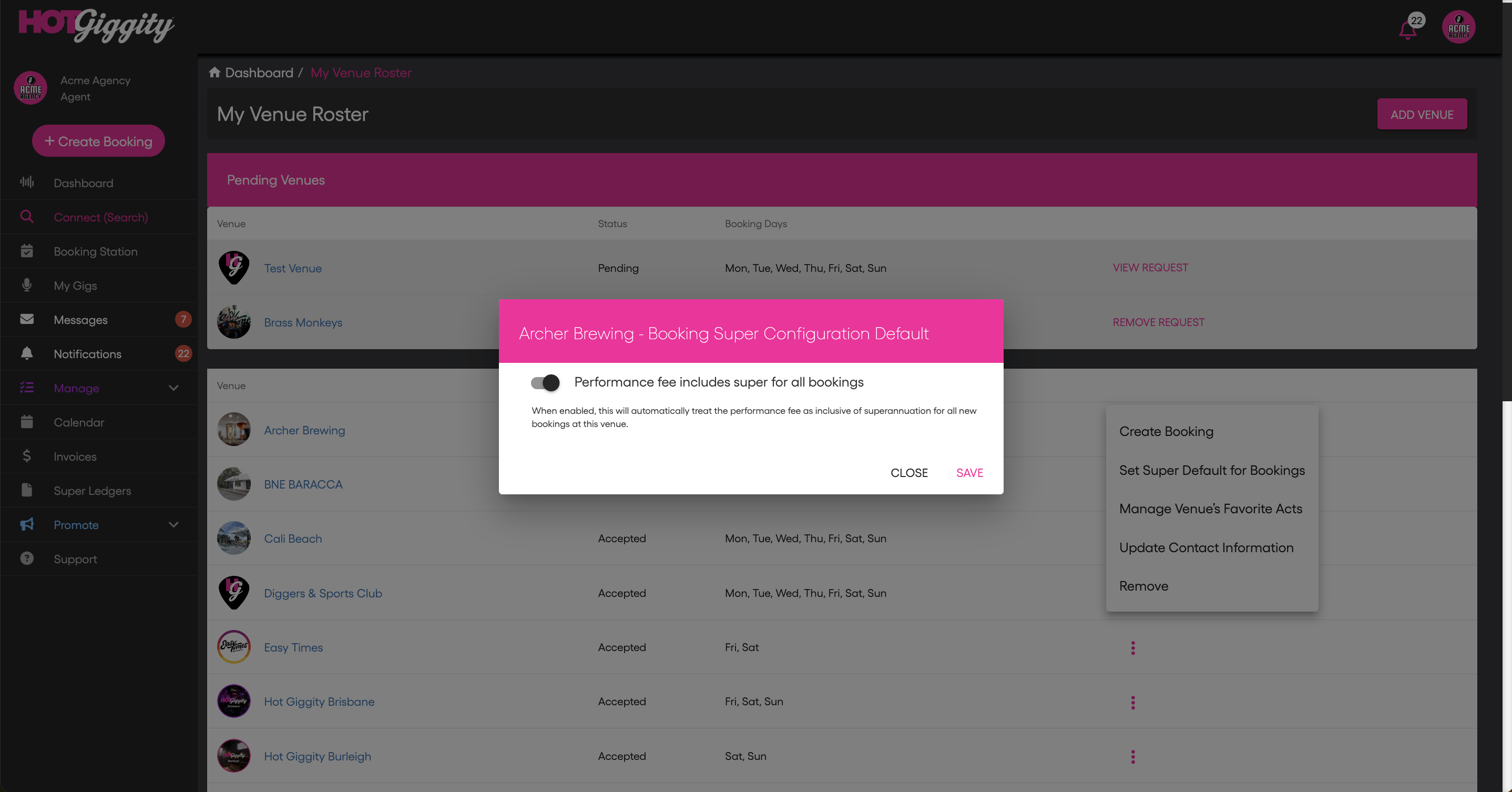
Steps
- Go to Manage → My Venues.
- Find the venue and click the three dots (⋯).
- Choose Set Super Default for Bookings.
- Toggle Performance fee includes super for all bookings ON (inclusive) or OFF (plus super).
- Click Save.
How it behaves
- Affects future bookings for that venue only.
- Does not change existing bookings.
- The booking sheet toggle still appears; users can override per booking.
Quick examples
Default = Inclusive
- Booking opens with Fee includes super = ON.
- Enter the agreed performance fee (ex tax); HG backs out SG for sole-trader acts and shows it separately (SG is GST-free).
Plus super (recommended when you agree with the venue that super will be paid on top)
- Booking opens with Fee includes super = OFF.
- Enter the performance fee (ex tax); HG adds SG on top for sole-trader acts (still GST-free).
Related articles
- Inclusive vs Plus Super: Pricing & Approvals (Agents)
- How GST Appears When Super Is Involved (Agents)
- Super Ledgers for Hirers: Track What You Owe & What’s Paid (Agents)
- Pay Super with Xero (AU Payroll) — Hot Giggity Integration (Agents)
Got questions?
If you have any questions about anything in this article, please email support@hotgiggity.com.