
Performer eligibility — ATO guidance reviewed 13 October 2026
An ABN, invoice, hobbyist status or retirement does not automatically remove super obligations for individual performers. Check legal liability for the performance payment and any applicable exception. Hot Giggity’s entity setting and invoicing model must reflect the actual engagement; they do not decide legal liability.
Read the eligibility and responsibility guide or the ATO performer guidance (updated 16 September 2026).
Payday Super update — effective 1 July 2026
For eligible payments made on or after 1 July 2026, pay super each payday. Contributions generally need to reach the worker’s super fund within 7 business days after the related payment, subject to applicable exceptions. Submit promptly and allow for clearing-house processing time.
Quarterly date filters remain useful for reporting and reconciliation, but do not permit you to defer current super payments until quarter-end. Read our Payday Super payment timing guide.
What the Super Ledgers do
Hot Giggity’s Super Ledgers put all Superannuation Guarantee (SG) activity in one place so you can see what you owe for sole-trader performers, export it, and reconcile quarter-end quickly.
- Super I Owe: SG you must pay to funds for eligible sole traders.
- Super Owed to Me: (not typically used by venues) amounts another party owes you.
See also: Pay Super with Xero (AU Payroll) — Hot Giggity Integration (Venues)
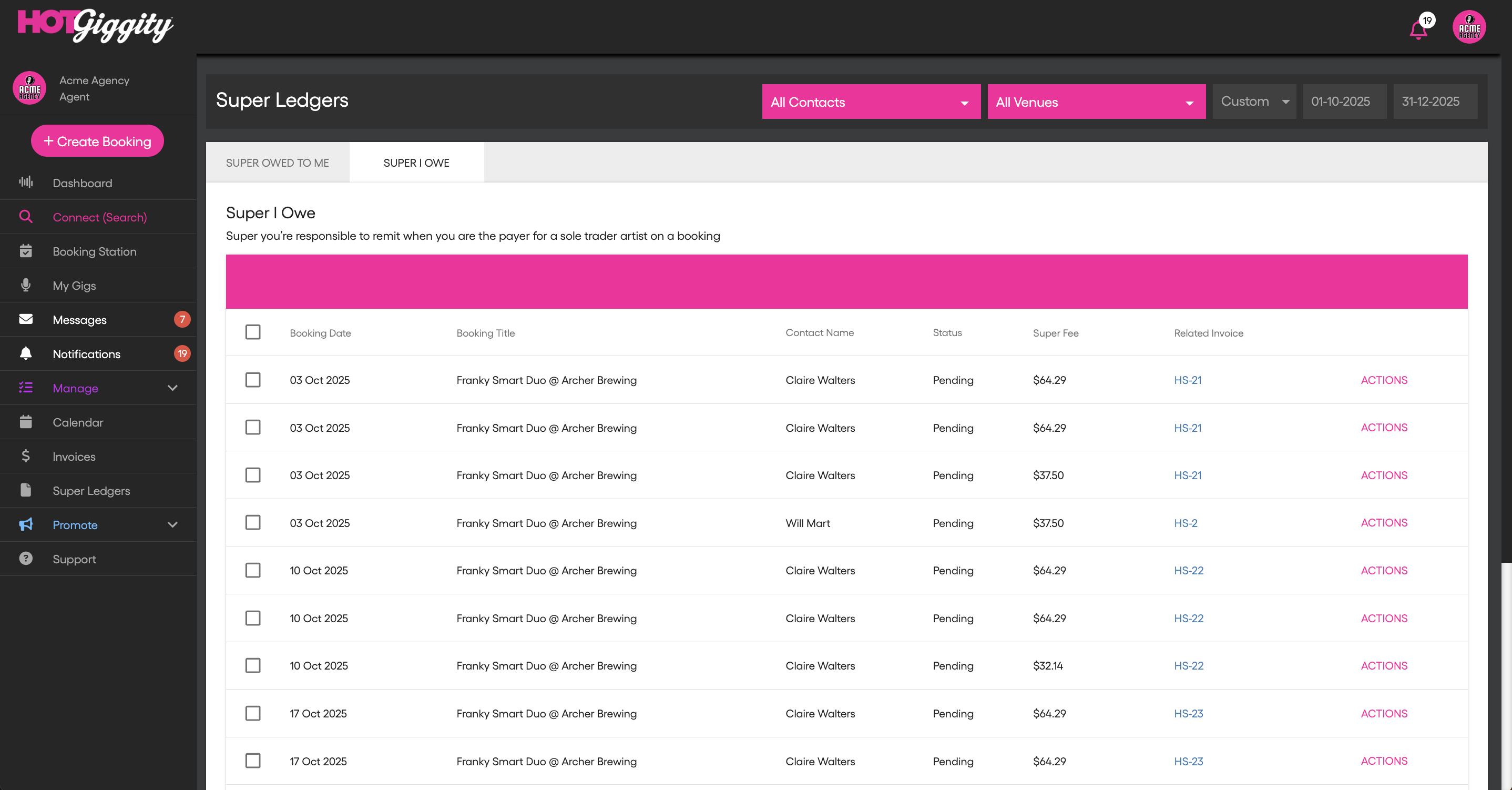
Columns you’ll see
- Booking Date – date of the gig tied to the SG calc
- Booking Title – act @ venue context
- Contact Name – the sole-trader performer
- Status – Pending / Paid (editable)
- Super Fee – the SG amount (GST-free)
- Related Invoice – link to the Artist Tax Invoice
- Actions – view fund details, mark paid, or (if using Xero) sync
Filters & views
Use the filters at the top of Super I Owe to narrow the list by Contact, Venue (multi-location groups), and Date range (Month, Quarter, or Custom).
How invoices and ledgers line up
- You receive Artist Tax Invoices only.
- The invoice shows taxable fee line(s) and GST (if the artist is GST-registered).
- The SG Payable panel sits below the totals with the SG amount (no GST) and fund details.
- Those SG amounts appear as rows in Super I Owe for payment and reconciliation.
Payment workflow for each pay period
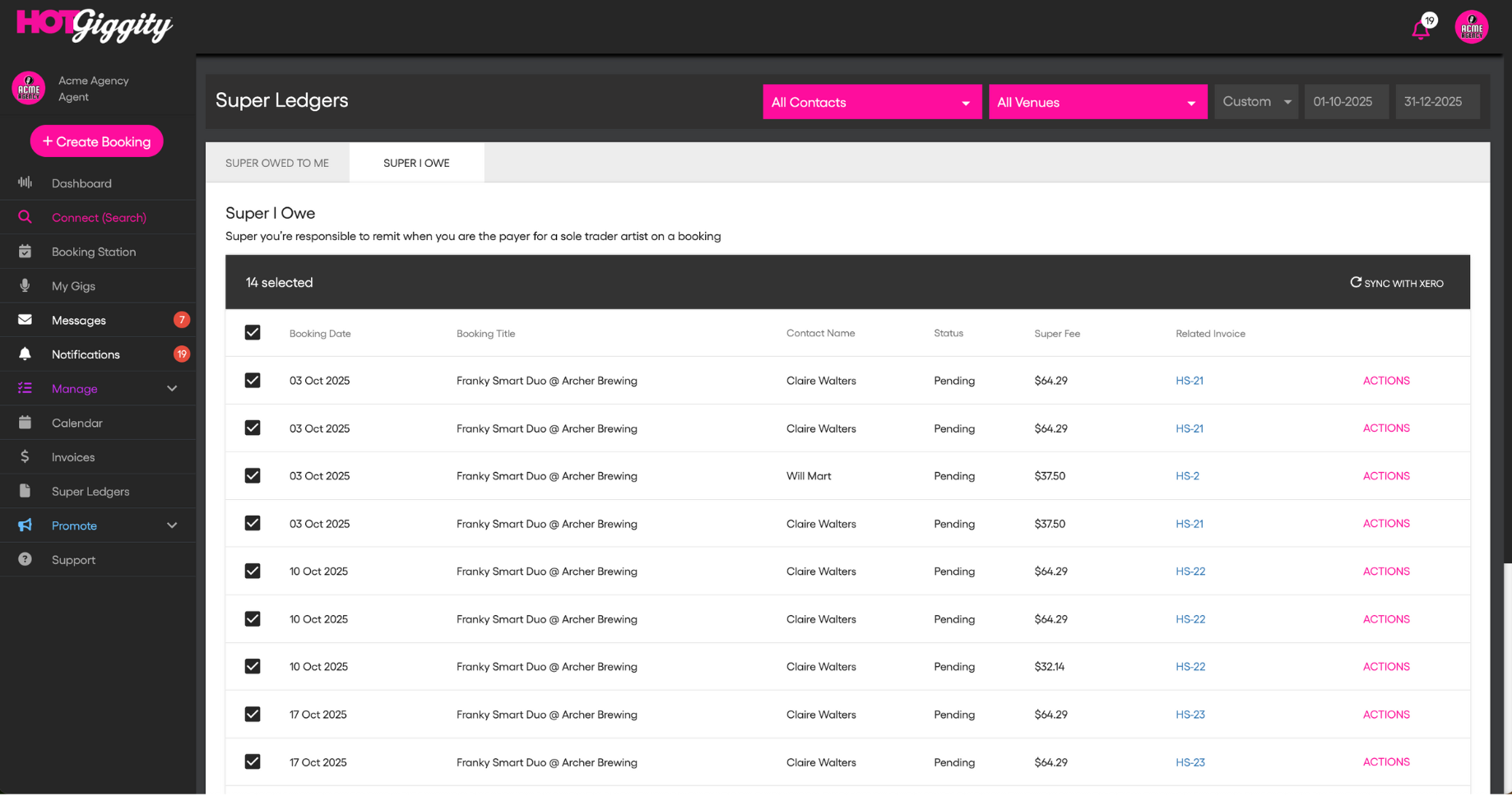
- Filter the Super Ledger to the relevant pay period or custom date range. Check the related payment dates so each contribution is submitted in time to reach the fund by its deadline.
- Review the rows and use Related Invoice to spot-check any totals.
- Select all (or just the rows you’re ready to pay).
- If using Xero: click Sync With Xero to push selected items into a new Xero pay run on your mapped Payroll Calendar.
- Follow the how-to: Pay Super with Xero (AU Payroll) — Venues
- If not using Xero, export the ledger information for your supported super payment service or payroll workflow. Check the service’s required file format and processing time.
- Pay super each payday through your supported payment method. Ensure the contribution reaches the fund within the applicable Payday Super deadline; submitting a payment is not the same as the fund receiving it.
- Mark as Paid in HG (bulk or per row) and keep your payment confirmations/PRNs with the related invoices.
Viewing super fund details
From the ledger (or from Manage → My Act Roster), open Actions → View Super Account Details to see:
- Fund name, ABN, USI
- Member number (and other identifiers)
Reconciliation tips
- Inclusive vs Plus super: Regardless of model, SG is GST-free and appears in the SG Payable panel on the Artist invoice (not in the invoice total).
- Use Related Invoice to confirm the taxable base and GST when numbers look off.
- Rounding is handled per line; totals reconcile to the cent across invoices and ledgers.
FAQs
Can I use weekly, fortnightly or monthly periods? Create the payroll calendar you need in Xero, then select that calendar in Hot Giggity’s Xero Settings. Match the ledger date range and pay run to the relevant period. The calendar or reporting period does not extend the applicable Payday Super deadline.
Does GST ever apply to SG?
No. SG is GST-free. GST applies only to taxable fee/commission items on invoices.
What changes if the performer is a company/trust?
SG doesn’t apply; those gigs won’t appear in Super I Owe.
How to stay compliant (at a glance)
- Confirm the act’s legal entity is Sole Trader and their fund details are complete.
- Use Super I Owe to make sure every eligible gig is captured.
- Pay super each payday through your supported payment method. Ensure the contribution reaches the fund within the applicable Payday Super deadline; submitting a payment is not the same as the fund receiving it.
- Mark Paid and file PRNs alongside invoices for an audit trail.
Got questions?
If you have any questions about anything in this article, please email support@hotgiggity.com.